Home
Home

 Creators
 Search
 Recent
 Random
 Posts
Posts
 DMs
DMs
 Tags
Tags
 Random
 Importer
 Import
 FAQ
FAQ
 Account
 Register
 Login
Login
 Favorites
 Keys
Keys
 Logout
 Telegram

Easy Control Resolume Arena & Abelton Live (Patreon)
Content
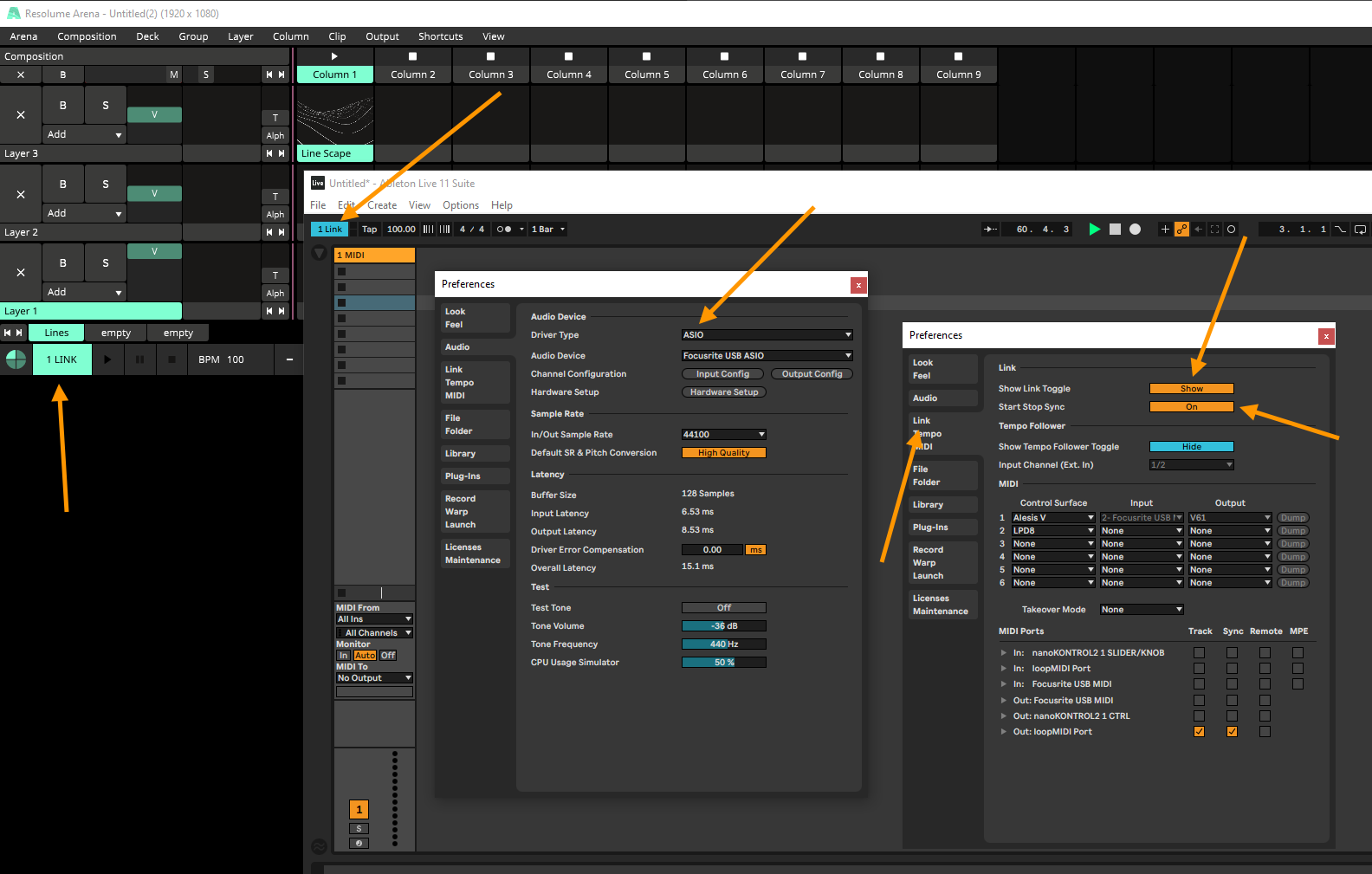
CONCEPTSet up visual scenes organized in columns in Resolume, and use Ableton as a sequencer to trigger the scenes.There are a few tutorials on YouTube about this. I tried to make it simpler. I have used Ableton and Resolume together for almost 10 years now to create arrangements.In the past, I overcomplicated things. Today, I use this straightforward technique. This is the distilled essence of many years of trial and error. Enjoy!1. Download and install loopMIDI and add a channel: https://www.tobias-erichsen.de/software/loopmidi.html2. Start loopMIDI before starting Resolume and Ableton.3. Set loopMIDI as the input in Resolume.4. Set loopMIDI as the output in Ableton.5. Create an audio track in Ableton and set up the BPM.6. Create a MIDI track and a new clip with one note, for example, C3. Set the output to loopMIDI and select the 1st MIDI channel.7. In Resolume, go to Menu > Shortcuts > MIDI Assign and select the first column trigger.8. In Ableton, hit your MIDI note in the clip to assign it. Make sure the small headphone icon is activated.9. In Resolume, select the RESYNC button and hit the same MIDI note in Ableton again.10. Go to Shortcuts > MIDI Input Stop in Resolume.11. Set the same BPM in Resolume as in Ableton.Now, when you play back in Ableton, the first column will be triggered and playback will be synced to the BPM.Before you assign MIDI in Resolume always stop Ableton playback to avoid messing up assignments.12. In Ableton, create a new clip with a different MIDI note or create a new track with the same note but a different MIDI channel.13. Assign this note to play the next column in Resolume.14. Copy this clip multiple times whenever you want to change the visuals.Alternatively, you can use different MIDI notes to trigger different columns.15. In Ableton, create a new MIDI track and set up MIDI output with a new loopMIDI channel. Go to clip parameters and select Pitch Bend.16. Activate MIDI Assign in Resolume, select any parameter (for example, speed), and move the pitch bend curve in Ableton.Now you can control any parameter with curves from Ableton.BONUS: If you want to keep your clips playing on column change, add an empty clip and set it to IGNORE Column Trigger ;) This is important when you do not want to change the whole scene and avoid having the same clip in the next column because playback won't be smooth.If you are using ASIO audio, use Ableton Link to sync BPM and playback automatically.
you need ASIO to activate Ableton LINK ! check these settings.