Home Creators Posts Import Register Favorites Logout

Content

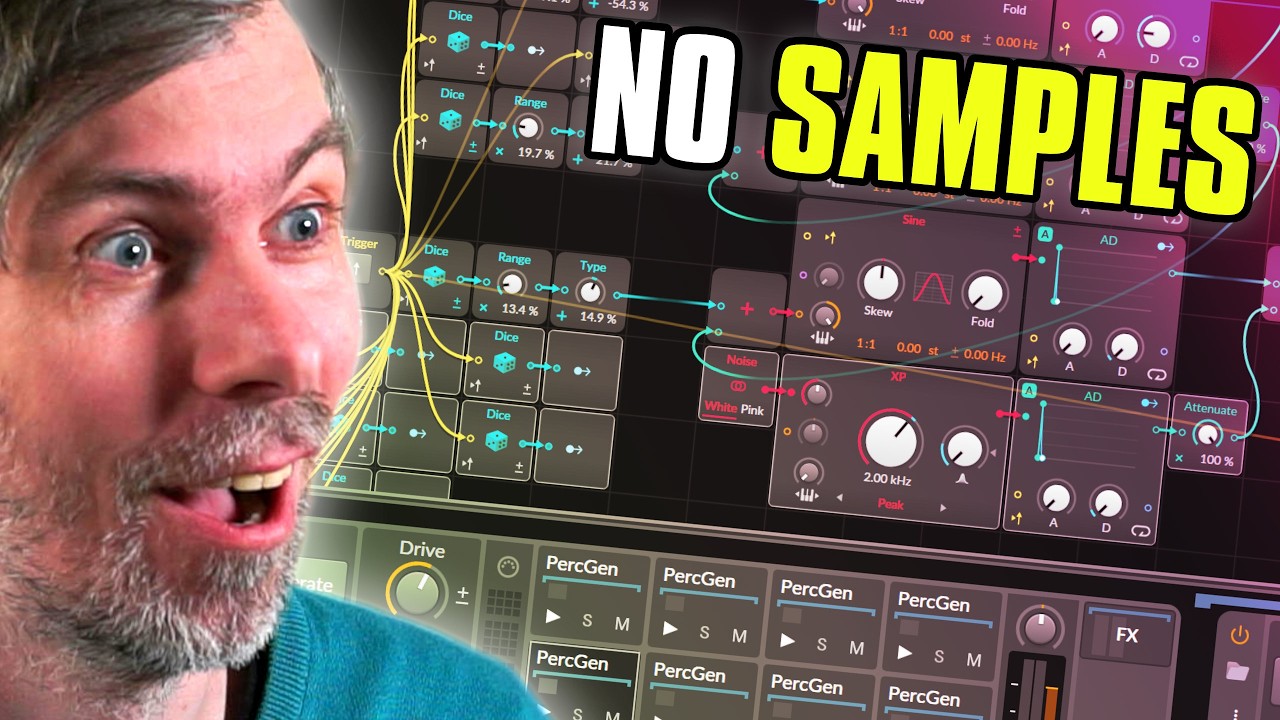
In this video, I show you how to build a random percussion generator in Bitwig Studio using Poly Grid and stock devices only.

The idea is simple: instead of browsing samples, we generate fresh percussion sounds on demand by randomizing pitch, FM, envelopes, filtered noise, EQ peaks and a few post effects. The result is a patch that can create kicks, metallic hits, noisy percussion and strange hybrid drum sounds with just one button.

It is a fun way to design unique one-shots quickly, especially when you want something original instead of reaching for the same sample packs again.

I also show how to turn the patch into a reusable preset, how to load multiple instances into Drum Machine, and why Bitwig’s random modules still have one big limitation when it comes to saving projects and bouncing. If you want to build your own drum generators in Bitwig, this should give you a solid starting point.

Use Poly Grid in Bitwig Studio to create a generative percussion patch by chaining basic modules like oscillators, envelopes, random (dice), and output.

Generate random pitch values for the main sine oscillator using the Dice module, with the option to set the range (attenuate) and bias (offset) to target kick, snare, or hi-hat frequencies.

Layer multiple oscillators and modulate them using both phase modulation (PM) and exponential FM, with their respective modulation amounts and envelopes randomized for more variation.

Introduce noise as a body/top layer, processed through a bandpass or peak filter with randomized cutoff and resonance, and mixed in parallel with the tonal body for richer percussive textures.

Randomize envelope decay times and FM amounts using additional Dice modules, ensuring variability in both the main body and noise layers per trigger.

Use a ducking technique where the main “body” envelope ducks the noise layer, allowing transient body hits to be clean before the noise fades in.

Integrate post-processing with EQ bands and other FX (like distortion and phaser), and modulate EQ parameters (frequency, gain, resonance) with Dice modules for per-hit tonal shifts.

Note a key limitation: Bitwig’s randomization does not persist after saving or offline bouncing, so sampling the output as audio is necessary for consistent, repeatable results.

Preset download: https://polarity.productions/dispenser/
Files

This Bitwig Patch Creates Endless Percussion

In this video, I show you how to build a random percussion generator in Bitwig Studio using Poly Grid and stock devices only. The idea is simple: instead of browsing samples, we generate fresh percussion sounds on demand by randomizing pitch, FM, envelopes, filtered noise, EQ peaks and a few post effects. The result is a patch that can create kicks, metallic hits, noisy percussion and strange hybrid drum sounds with just one button. It is a fun way to design unique one-shots quickly, especially when you want something original instead of reaching for the same sample packs again. I also show how to turn the patch into a reusable preset, how to load multiple instances into Drum Machine, and why Bitwig’s random modules still have one big limitation when it comes to saving projects and bouncing. If you want to build your own drum generators in Bitwig, this should give you a solid starting point. Preset download: https://polarity.productions/dispenser/ 0:00 Intro 0:23 Basic Poly Grid setup 0:50 Random pitch with Dice and Trigger 1:49 Controlling the random range 2:19 Triggering new sounds from the keyboard 2:46 Type / offset for kicks, snares and hats 3:26 Why not use a wavetable here 3:49 Adding FM / PM for overtones 4:16 Separate random values for modulation 5:24 Using a low oscillator as modulation source 6:01 Exponential FM for more percussion sounds 6:30 Adding envelopes to shape the modulation 7:16 Randomizing modulation decay times 8:27 Adding the noise layer 8:45 Filtering the noise for the top end 9:21 Randomizing filter frequency and resonance 9:39 Stereo noise and distortion 10:16 Random modulation amounts 11:14 Randomizing the noise length 11:39 Stereo detune and oscillator restart 12:20 The real challenge: tuning the ranges 12:43 Ducking the noise with the body envelope 13:42 Random EQ peaks in the post FX 16:22 Extra sound design with Phaser+ 17:34 Final cleanup with high-pass and low-pass 18:08 Adding a Generate button 18:46 Saving the patch as a preset 19:06 Loading it into Drum Machine 19:45 Multiple cells with different random sounds 20:43 Bringing key controls to the device panel 22:30 Testing the full drum machine 22:59 The big Bitwig limitation with random states 24:01 Recording the output as audio 24:25 Saving and sharing the preset 24:59 Expanding the patch further 25:29 More range = more chaos 26:40 Final thoughts Video transcribed, summarized and Q&A on my Blog (no ads): -- 💕 Support me on Patreon: https://bit.ly/3PgbxZz 💰 donate via Paypal: https://bit.ly/3cae9t8 🎧 my Music: https://polarity.bandcamp.com/ 💾 my Tools: https://polarity.me/posts/articles/2024-08-04-polarity-tools/ 💻 my Gear: https://kit.co/polarity/polarity-music-kit 👉 Discord: https://discord.gg/eWwFBww 👉 Website: https://polarity.me -- 🛒 Buy/Upgrade Bitwig Studio & Support me https://bit.ly/3yQEyDU 🛒 VST/AU Plugin Deals https://bit.ly/3zcvo66

Comments

Starling

Love this. "i’m too lazy to load samples so i designed a detailed custom tool to generate percussion sounds." 💯🏆

dAb

Genius! Love it, thanks.. 😅

dAb

Wondering if the persistence of randomly generated data thing was included yet? Also, I wonder if there might be some cool ways to incorporate this with the new sampler in 6.1 beta... 🤔