Home
Home

 Creators
 Search
 Recent
 Random
 Posts
Posts
 DMs
DMs
 Tags
Tags
 Random
 Importer
 Import
 FAQ
FAQ
 Account
 Register
 Login
Login
 Favorites
 Keys
Keys
 Logout
 Telegram

This week we reached two wonderful milestones! (Patreon)
Content
This week we crossed two special thresholds on the Patreon:
over 250 members in total and over 50 actively subscribing Patrons!!!
I am super happy about this and hope we will continue to grow together.
Thank you all so much for being part of a day at and this journey! You are a wonderful community and it's a real pleasure to create content for you.
But I don't want to stop at just thanking you, I'd like to share some bonus content as a thank you as well:
For all:
"a day at the river bridge"
A big post-apocalyptic map at night.
You can find this map "[ADA]#0_River-Bridge_41x39_..." as 100 & 300ppi grid & gridless versions on the Free Part of the a day at cloud: https://cloud.adayat-maps.com/s/FreeContent
.
For subscribed patrons:
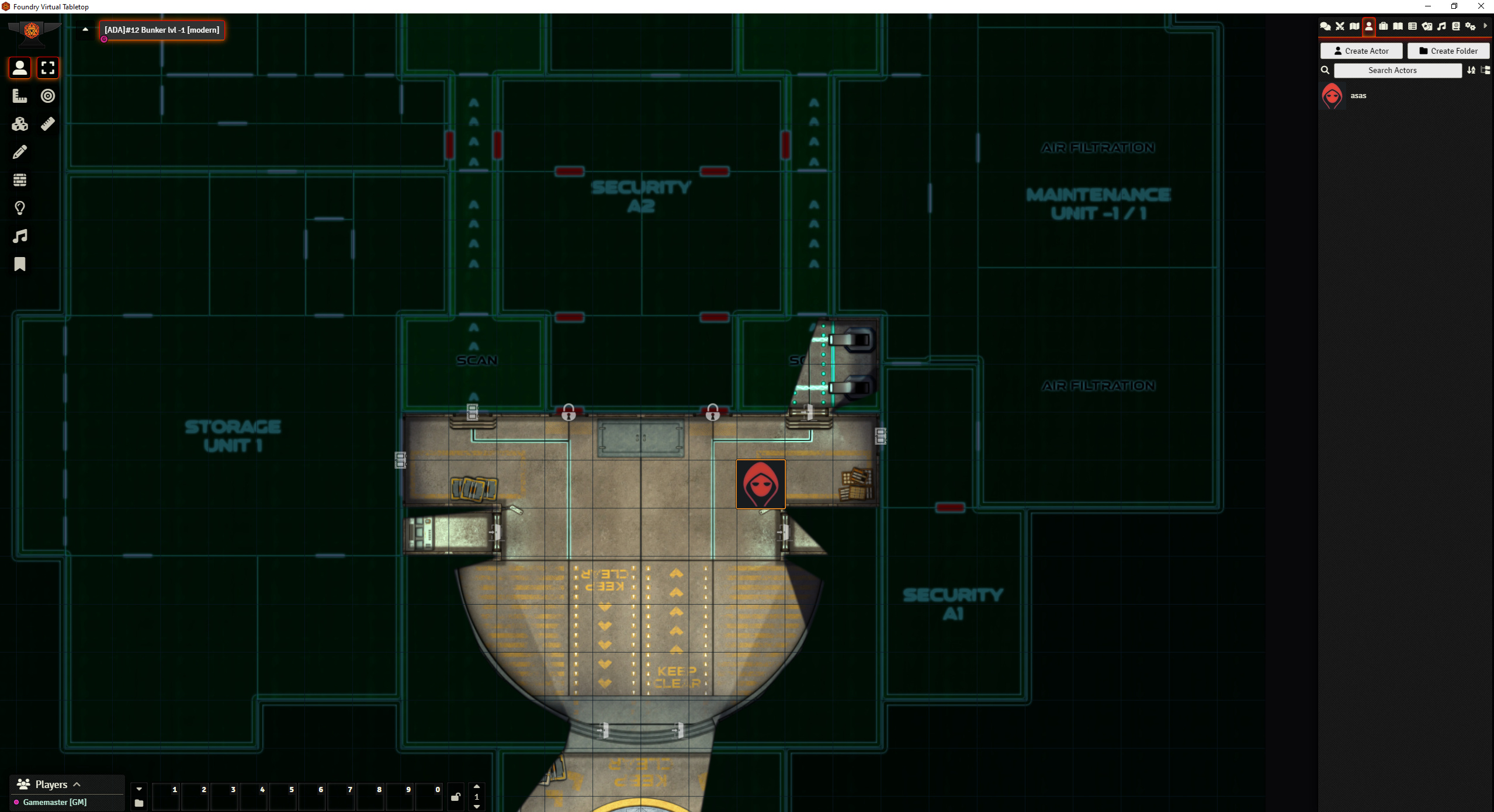
The "a day at the bunker" map set as a Foundry VTT module
You can find the module on the cloud in the subfolder #12_bunker > FoundryVTT
.
Basically, this is also a small test run for a basic integration of my maps as FoundryVTT modules in the Patreon.
Therefore I would be very happy if the FoundryVTT users among you could try it out and send me their feedback!
Also short heads ups:
I am not going to implement 3rd party modules as I want to keep it as clean as possible. I feel with possible updates, troubleshooting and updating I might be too overwhelmed as just one person working on this.
Future FoundryVTT modules would be part of the ThoroughGM Patreon Tier
I will only officially add the FoundryVTT modules as part of the Patreon when I have managed to integrate a large part of the already published maps. At the moment I can't estimate how much time I will need for this, but stay tuned :)
.
Also I uploaded webp versions of the maps lvl -1 to -4 (subfolder 300ppi > webp_gridless)
[The lvl 0 map is kind of buggy and don´t want to be exported to webp - at least not with files sizes below 100mb :( - I am sorry!]
And I also added webp Floorplan versions of these level that fit perfectly over the maps themselves.
.
Before you activate the Module:
For those of you that are sensitive to certain lightning effects or have players that are:
The abandoned versions come with some flickering lights! I advise that you change those lights (or let someone change them for you).
.
And this is how you can activate it in Foundry VTT:
Step 1: Download the "a-day-at-12-the-bunker-map-set" from the cloud
Step 2: Put it in your FoundryVTT "modules" folder
You can find the path info in the foundry main menu: click on "configure" in the top right corner and then you will find the information under "user data path".
The default path should be: C:/Users/YOURUSERNAME/AppData/Local/FoundryVTT.
Then go to "Data" and then copy/ insert the folder into the subfolder "modules".
Step 3: Open FoundryVTT and select or create the world you want to use the maps in
Step 4: Activate the module
Go to "Game Settings" > "Manage Modules"
Check the box next to the "a-day-at-12-the-bunker-map-set" in the Module Management tab to activate it
click on "save module settings" and select "yes" to reload the application
Step 5: Import the maps you want to use from the compendium pack
Open the menu item "Compendium Packs"
The compendium "a day at" with the subfolder "a-day-at-12-the-bunker-map-set" should appear.
Click on the folder and a new screen opens with 2 subfolders for the "modern" and "abandoned" versions
Right click on the map you want to use and select "Import entry". Or you can drag & drop the map you want to use into a "Scene" Folder of your choice
Alternatively: You can import the whole Compendium as well (Although I would not recommend it if you don´t need all maps). To do so, right click on the compendium pack and select "Import All Content"
Change the map settings to your liking
Files