Home
Home

 Creators
 Search
 Recent
 Random
 Posts
Posts
 DMs
DMs
 Tags
Tags
 Random
 Importer
 Import
 FAQ
FAQ
 Account
 Register
 Login
Login
 Favorites
 Keys
Keys
 Logout
 Telegram

S.T.A.L.K.E.R. 2 - HDR Optimized Settings (Patreon)
Content
The game is NOT using/applying Xbox or PC HDR Calibration app settings. The game has a fairly good but confusing HDR implementation as it ca
The game is NOT using/applying Xbox or PC HDR Calibration app settings.
The game has a fairly good but confusing HDR implementation as it can actually reach 4.000 nits (in a cumbersome way) with many different in-game HDR settings...which can be improved from default.
CALIBRATION RE-DONE AND SETTINGS UPDATED!
First of all in order to activate HDR you should use Exclusive Fullscreen Mode (and not Borderless) on PC otherwise you can't enabled it. On Console should be activated automatically
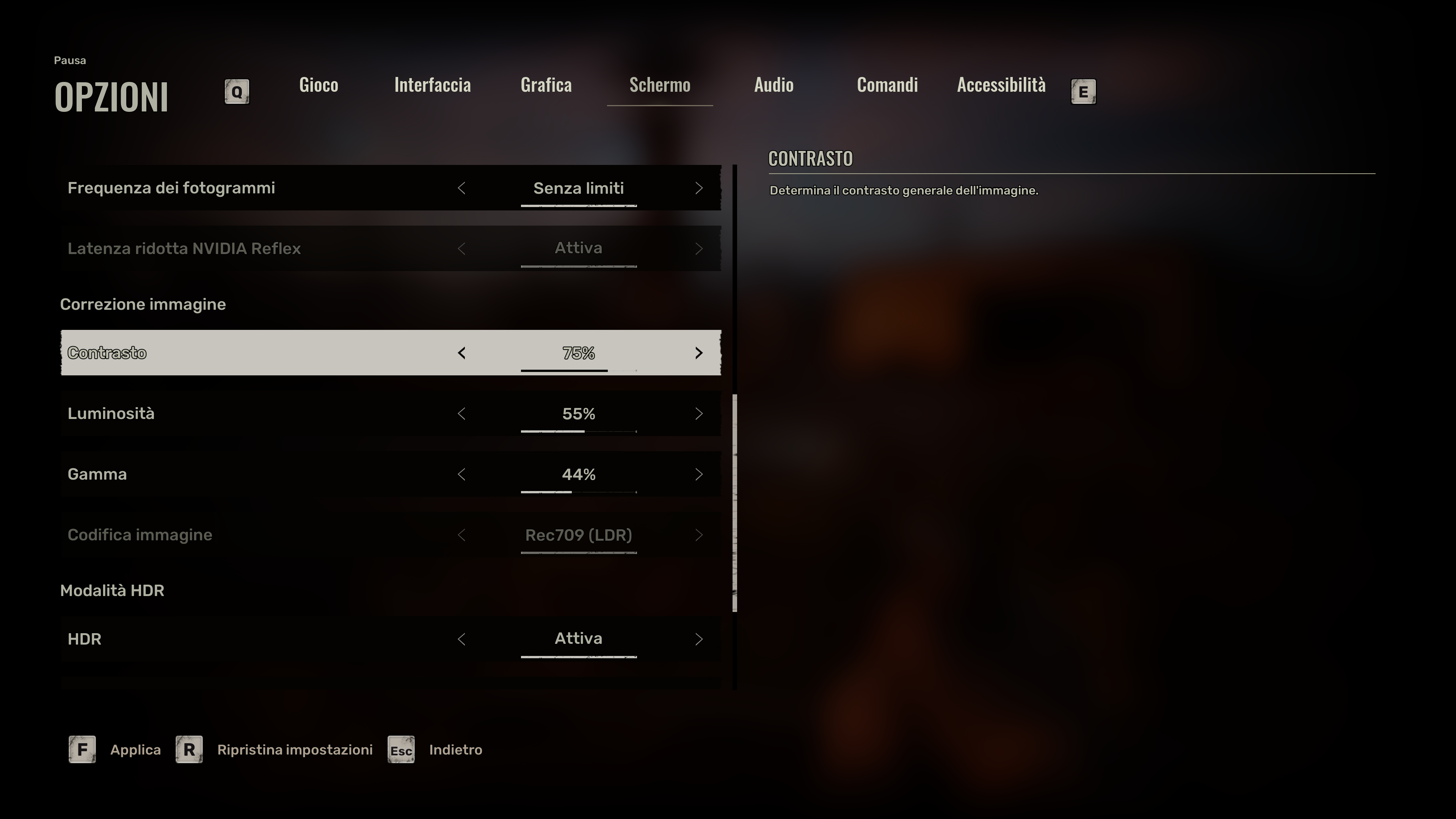
Once HDR is activated, leave Contrast to 75% . This alone will have slightly crushed black but it's the only value which preserve the High Dynamic Range of HDR
Then:
If you have an LG OLED and:
> you're using Dynamic Tone Mapping or Dynamic Contrast:
Set Brightness to: 50 (and not higher or the image will be washed out)
> you're using HGIG:
Set Brightness to: 40 (for 800 nits) or 46 (for G2/C4) or 55 (for G3/G4) or 65 (for G5/G6)
If you don't have an LG OLED and:
> you don't have an HGIG option:
Set Brightness to: 46 (for around 1.000 nits)
> you're using HGIG:
Set Brightness to the corresponding real Peak HDR Luminance of your TV in "nits" (40 = 800 nits; 46 = 1.000 nits ; 55 = 1.500 nits ; 60 = 2.000 nits; 65 = 2.400 nits)
In all cases:
Leave Gamma to 44% (Default on PC; but try it also on Consoles)
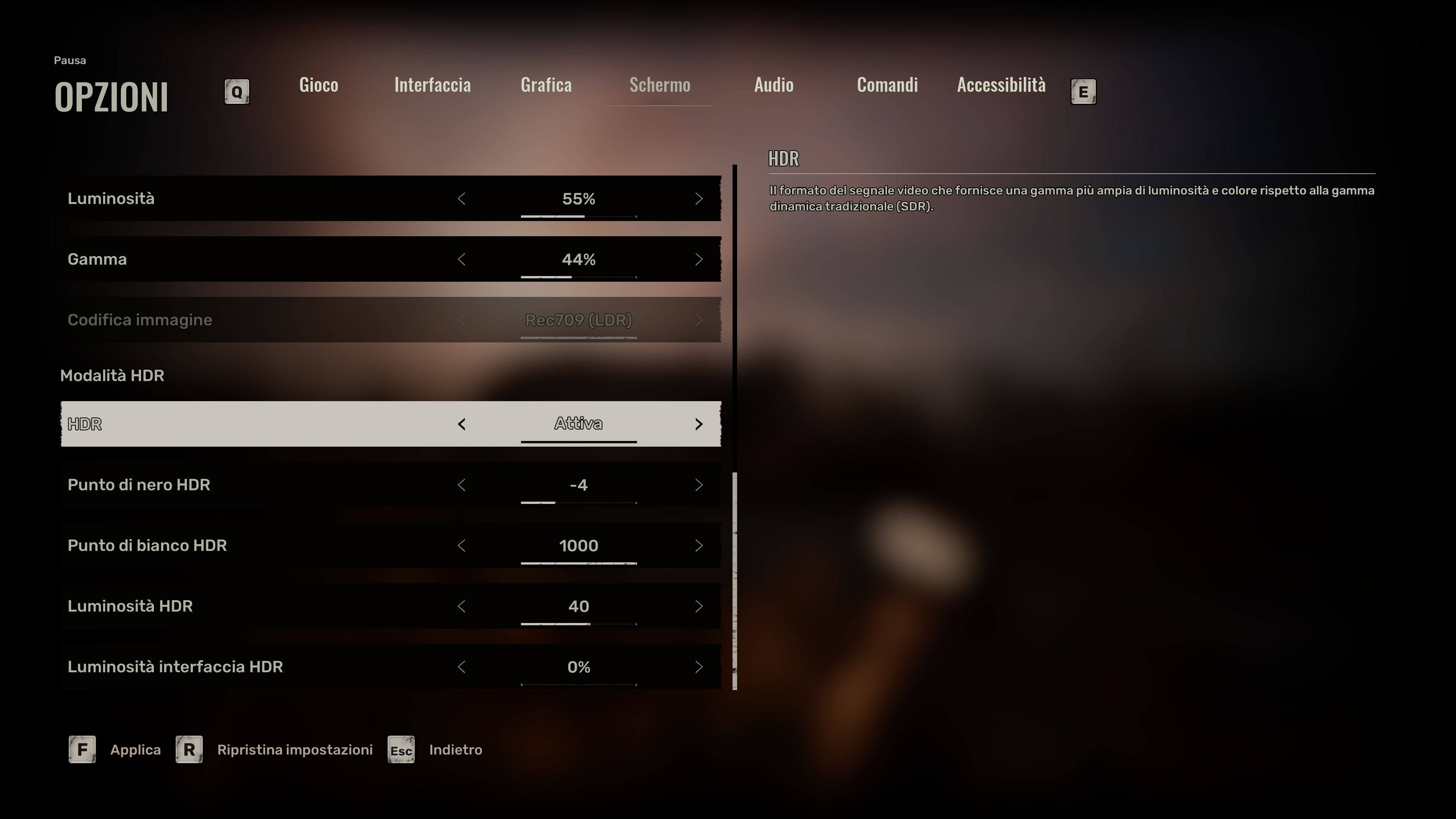
Leave HDR Black point to -4 (Default)
Leave HDR White point to 1.000 (Default)
Change HDR Saturation value from default 60 to 50 in order to fix oversaturated colors in HDR
Set HDR Brightness to 40 in order to fix the aforementioned black crush
Set HDR UI Brightness to 0% in order to minimize the risk of OLED burn-in
BONUS:
Use Performance/60fps mode on Xbox Series X
Go to Interface section and set UI Opacity to 50% to further minimize the risk of OLED burn in
PC Only: if you have massive framerate drops when talking closer to NPCs, set the "Hair Quality" option to Medium instead of High/Epic
PC Only: to improve visual quality but at the same time improve/remove stutters, increase performance and lower input latency have a look at my Ultimate Engine Tweaks Mod here :)
Enjoy :)
-P
Files