Home
Home

 Creators
 Search
 Recent
 Random
 Posts
Posts
 DMs
DMs
 Tags
Tags
 Random
 Importer
 Import
 FAQ
FAQ
 Account
 Register
 Login
Login
 Favorites
 Keys
Keys
 Logout
 Telegram

Xbox HDR Calibration app - HDR Optimized Settings (Patreon)
Content
The idea behind having the same calibrated system-wide HDR settings (or "metadata") for all HDR games is noble and both Microsoft and Sony really tried to make this a reality in order to finally fix the pain in the ass the average user is facing manually adjusting in-game HDR to the real HDR capabilities of the TV in a different way: every time, on every game. (if he's lucky enough to have the bare minimum control over it, of course).
Unfortunately, even if system HDR Calibration is a reality for years now, very few games (and devs) actually leveraged on it.
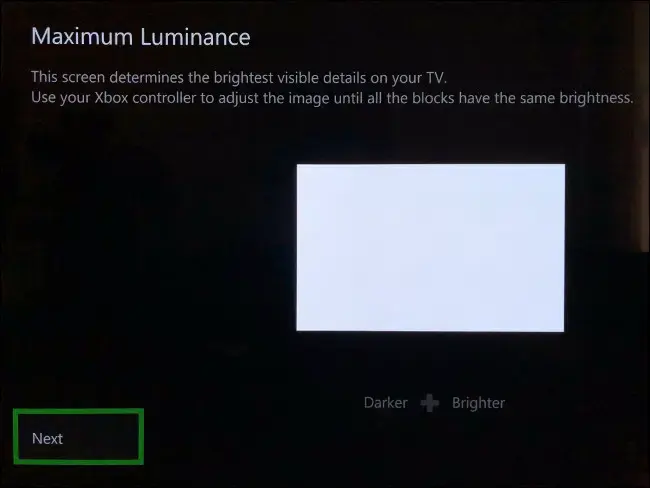
For those cases, let's see the Optimized values for Xbox HDR Calibration app:
Press LT + LB + RT + RB at the same time.
Then check in the upper right corner the current entered values for each of the three section of the app.
If you have an LG OLED and:
> you're using Dynamic Tone Mapping or Dynamic Contrast, set:
First screen / MinTML: 0.000
Second screen / MaxTML 4.000
Third screen / MaxFFTML: 4.000
> you're using HGIG:
First screen / MinTML: 0.000
Second screen / MaxTML: 800 or 1.000 (for G2/C4) or 1.500 (for G3/G4/C5/C6) or 2.400 (for G5) or 3.100 (for G6)
Third screen / MaxFFTML: 800 or 1.000 (for G2/C4) or 1.500 (for G3/G4/C5/C6) or 2.400 (for G5) or 3.100 (for G6)
If you don't have an LG OLED and:
> you don't have an HGIG option:
First screen / MinTML: 0.000
Second screen / MaxTML: Increase it until the logo will totally disappear
Third screen / MaxFFTML: Increase it until the logo will totally disappear
> you're using HGIG:
First screen / MinTML: 0.000
Second screen / MaxTML: Set your real TV Peak HDR Brightness (in nits)
Third screen / MaxFFTML: Set your real TV Peak HDR Brightness (in nits)
Much easier and accurate than PS5 HDR Calibration app.
Files