Home

 Creators
 Search
 Recent
 Random
 Posts
 DMs
 Tags
 Random
 Importer
 Import
 FAQ
 Account
 Register
 Login
 Favorites
 Keys
 Logout
 Telegram

Tutorial #2 TAS Resolume Composition (Patreon)
Content
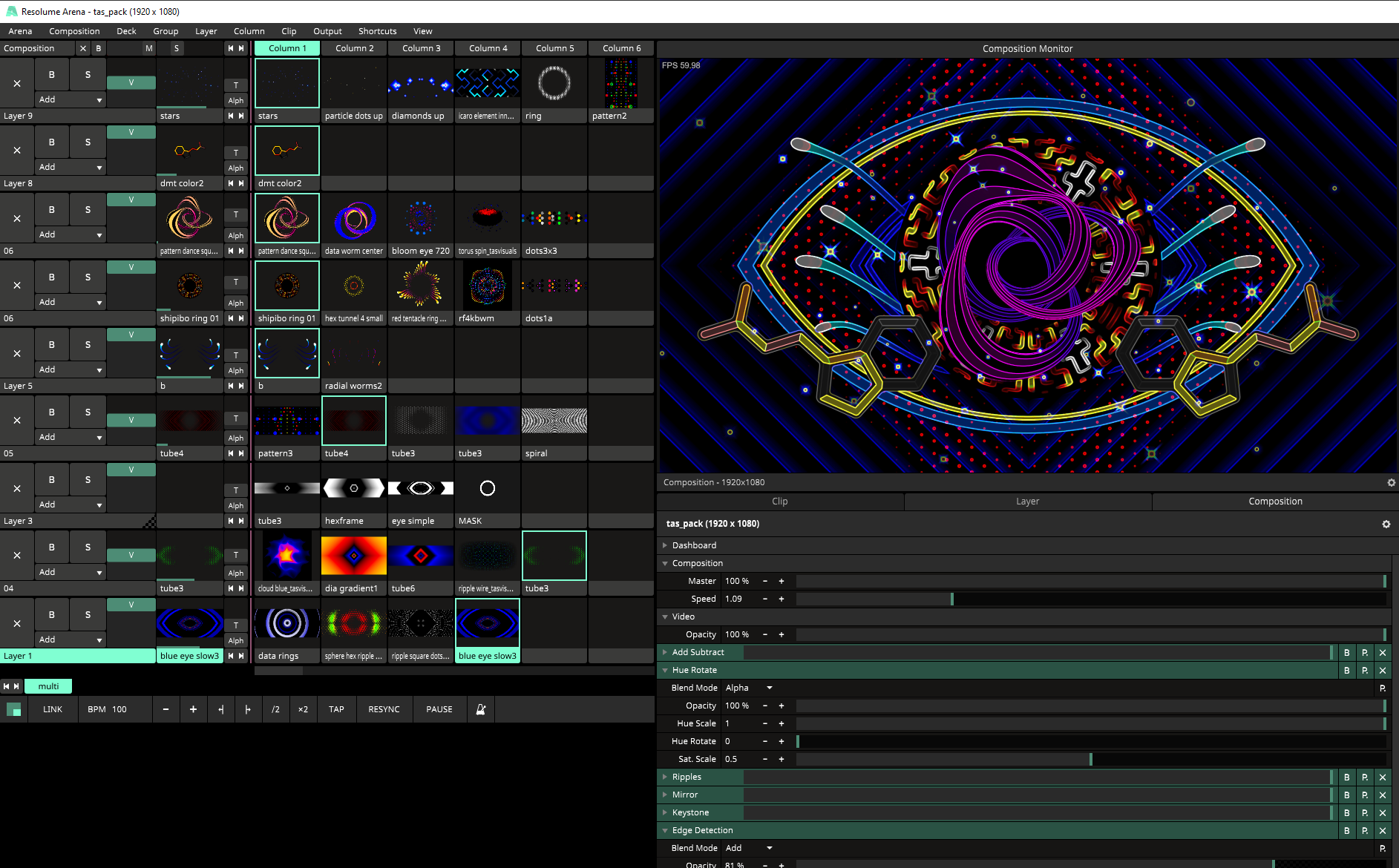
Dear Patreons ! Thank you for your patience. I made a 2.4GB zip file for you. It contains a resolume composition and video loops. I packed it under this path C:\tutorial02\ if you unpack it to a differernt location you will need to relocate files. simply click on a clip/relocate. save and then relocate first file in the list and then choose "Fix all" done.Download the ziphttps://www.patreon.com/posts/tas-pack-comp-100649334A little TAS playground. The composition illustrates how I organise my clips, layers, effects, master effects and masks. It is a multi layer setup perfect for layering elements to create complex scenes. I had to reduce the resolution/quality of a few clips so the zip doesn't get too big. I might explain a bit more here but please ask questions !check composition dashboard. I mapped a few master effects. usually I map these to my korg nanokontrol2.also play with master speed. map it to your midi controller (value 1-10) so it does get slower than normal speed. It works great with my clips. I use this a lot !check clips effects too. I am using additional transform effect a lot for scaling for example set to bounce and sine envelope.As you might know I am using a the effect edge detection an lot. it is part of my signature and Visuals are crafted in a way that works nicely with the effect. you can deactivate this effect in the composition tab. there is also a keystone effect which basically just removes the alpha before edge detection which is important.I will also go for these topics in the future:- prepare and setup stage mapping- organize resolume comp with stage mapping content- how I setup my midi controler and master effects- my favourite and essential resolume effects + juicebar effects- best way to record resolume output- Resolume and Ableton live connection via MIDI- Resolume OSC control + VVVV
Files